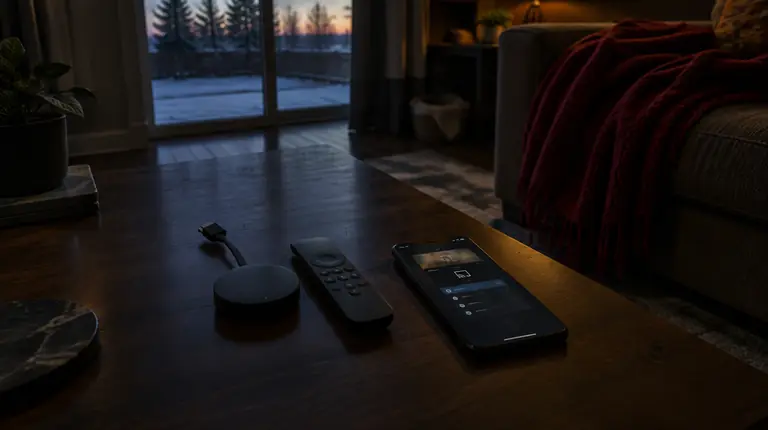
Short answer: the Onn 4K Pro is Walmart’s own-brand Google TV box, sold in Canadian Walmart stores since 2025, with a second-generation model arriving in 2026. Because it runs Google TV, setting up IPTV is the same as on any Google TV device: install a player from Google Play, enter your provider’s login, then fix three settings so the guide and picture behave. It has an Ethernet port, which is the main reason it suits live TV better than many sticks.
What the Onn 4K Pro is
Onn is Walmart’s house electronics brand. For years its streaming boxes were sold only in the United States. In May 2025, the first Onn 4K Pro started appearing on Walmart shelves across Canada at an MSRP of CA$74.98, as Notebookcheck reported, which described it as a Google TV-certified box.
A second-generation Onn 4K Pro followed in 2026. 9to5Google reported in May 2026 that it was turning up in Canadian stores with bilingual English and French packaging. AFTVnews then reported a Canadian price of CA$74.98 at launch, raised to CA$119.52 in early June 2026, noting the first figure was likely a placeholder. Check Walmart.ca or your local store for today’s price; stock has been patchy.
| Detail | Reported | Why it matters for IPTV |
|---|---|---|
| Operating system | Google TV | Google Play, so you can choose your player |
| Memory and storage | 3GB RAM, 32GB storage (per AFTVnews, from the Canadian listing) | Enough for large channel lists and guide data |
| Ports | Ethernet and full-size USB-A | A wired connection is the best fix for evening buffering |
| Audio passthrough | No lossless Dolby TrueHD or DTS:X passthrough (per AFTVnews) | Irrelevant for most live TV; matters only to home-theatre film fans |
Before you start
- Buy the Canadian model from a Canadian retailer and keep the receipt. Look for the bilingual packaging.
- Have your provider’s login ready. Either an M3U link or an Xtream-style login with a server URL, username and password. Unsure which you have? Read Xtream Codes vs M3U explained.
- Plan the cable. If the router is within reach of the TV, an Ethernet cable is worth more than any setting you will change later.
Setting up IPTV on the Onn 4K Pro, step by step
- Complete Google TV setup. Connect to the internet, sign in with a Google account and accept any system update. Updates often fix playback and remote bugs.
- Pick a player. From the home screen, open Search or press the voice button on the remote and say the app’s name. TiviMate and IPTV Smarters Pro are common choices on Google TV; see the TiviMate setup guide and the IPTV Smarters Pro guide.
- Install and open it. Allow storage or notification prompts if the player asks; some need storage for guide data.
- Enter your login. For Xtream, type the server URL with
http://orhttps://and any port, then username and password. For M3U, paste the full link. A phone remote app or a Bluetooth keyboard makes typing much easier. - Wait for the first load. A big channel list and guide can take a minute or two the first time.
- Play a channel for a few minutes before you start arranging favourites.
Three settings to check right away
1. Network
Open Settings and then Network & Internet. Use Ethernet if you can. On Wi-Fi, connect to the 5 GHz network and check the signal is strong. Our Wi-Fi vs Ethernet guide explains why the cable matters most at peak hours.
2. Date and time
Under System, set the correct time zone and turn on automatic date and time. A wrong zone is the usual reason a guide shows the wrong programme, and Canada has six time zones plus Newfoundland’s half-hour offset.
3. Display
Under Display & Sound, confirm the resolution matches your TV and turn on frame-rate matching if your player and the box support it, so sport and film do not judder. If high-bitrate channels drop out on a 4K TV, check that the TV’s HDMI port has its enhanced or “deep colour” mode switched on.
If your player is not in Google Play
Some players are not listed on every account. Google TV lets you install apps from outside the store through a setting usually found under Settings > Apps > Security & restrictions > Unknown sources, where you allow one specific installer app. Only do this for a player you trust, and turn the permission off again afterwards. The safer option is to choose a player that is in the store. Our guide to downloader codes explains the risks of installing from codes and links.
If this happens, do this
- The player says the login is wrong. Retype it slowly; check for a missing port or a capital letter. Confirm the subscription is active.
- Video stutters in the evening. Move to Ethernet, restart the router, and see the buffering guide.
- The guide is empty or shifted. Check the time zone, then follow EPG not loading.
- The app slows down after a few weeks. Clear the player’s cache (not its data) under Settings > Apps. Full steps are in how to clear cache on Android TV.
- Nothing plays at all. Run the five-minute outage check to see whether the problem is your network, the box or the service.
Onn 4K Pro or another device?
For live TV, the Onn 4K Pro’s strengths are the Ethernet port and Google Play. If you already own a Fire TV Stick or a Google TV Streamer, there is no reason to replace it just for IPTV; the setup is close to identical. Our Google TV Streamer guide covers Google’s own box, and the best IPTV box in Canada compares the wider field, including dedicated boxes.
Using an Onn 4K Pro with My IPTV Canada
Our logins work with the main Google TV players, and we can tell you which format to enter before you start. The box uses one connection while it plays; a second TV playing at the same time needs a second connection. One screen costs CA$19 for a month or CA$79 for twelve months, and two screens start at CA$29. Today’s prices hold until January 15, 2027. Start with a free 24-hour trial on the box itself; eligible new plans carry a 60-day money-back guarantee from first paid activation. See plans and prices and supported devices.
Frequently asked questions
Is the Onn 4K Pro available in Canada?
Yes. Walmart began selling the first Onn 4K Pro in Canadian stores in 2025, and the second-generation model reached Canadian stores in 2026. Stock has been uneven, so check Walmart.ca or call your local store.
Can I install IPTV on the Onn 4K Pro?
Yes. It runs Google TV, so you install an IPTV player from Google Play, enter your provider’s Xtream login or M3U link, and set the time zone and network. The process takes about 15 minutes.
What is the best IPTV app for the Onn 4K Pro?
TiviMate suits people who want a cable-style guide, and IPTV Smarters Pro is quick to set up with an Xtream login. Both are common on Google TV devices, and you can try each before deciding.
Does the Onn 4K Pro have an Ethernet port?
Yes, according to reports on both generations. Use it if the router is near the TV, because a wired connection is the most reliable fix for evening buffering.
How much does the Onn 4K Pro cost in Canada?
Reported prices have varied. The first model was listed at CA$74.98 in 2025. The second generation was reported at CA$74.98 at launch and CA$119.52 a few days later, in early June 2026. Check Walmart.ca for the current price.
Is the Onn 4K Pro better than a Firestick for IPTV?
Its main advantages are the Ethernet port and Google Play. A Fire TV Stick is cheaper and very well documented. If you already own either, it will run IPTV fine; there is no need to replace it.
Sources
Your next step
Test the channels you actually watch.
Tell us your device, languages and preferred channels. We will help confirm availability and set up a free 24-hour trial. Read the plan and guarantee terms before paying.
Useful for someone else?
Share the guide without losing the context.