For most Canadian families of four, the right IPTV plan is three screens on a 12-month term: CA$179 for 14 months (with the new-customer bonus), which works out to about CA$12.79 a month. Go to four screens (CA$199) only if a typical evening really has four different things playing at once, and drop to two (CA$129) if the kids share a tablet and the adults share a TV.
The number of devices in your house is the wrong thing to count. What you are buying is simultaneous streams, the most screens that will be playing live TV at the same moment. This guide walks through four real household patterns, prices each one in Canadian dollars, and shows where families waste money.
Count your peak evening, not your devices
A family of four might own two TVs, a bedroom TV, three phones, two tablets and a laptop. That is nine devices. It is very rare for nine of them to be streaming live TV at 7:30 on a Tuesday. A connection is used only while a stream is actually playing. A paused app on a phone in a pocket is not the problem; a tablet left playing a channel in a kid’s room is.
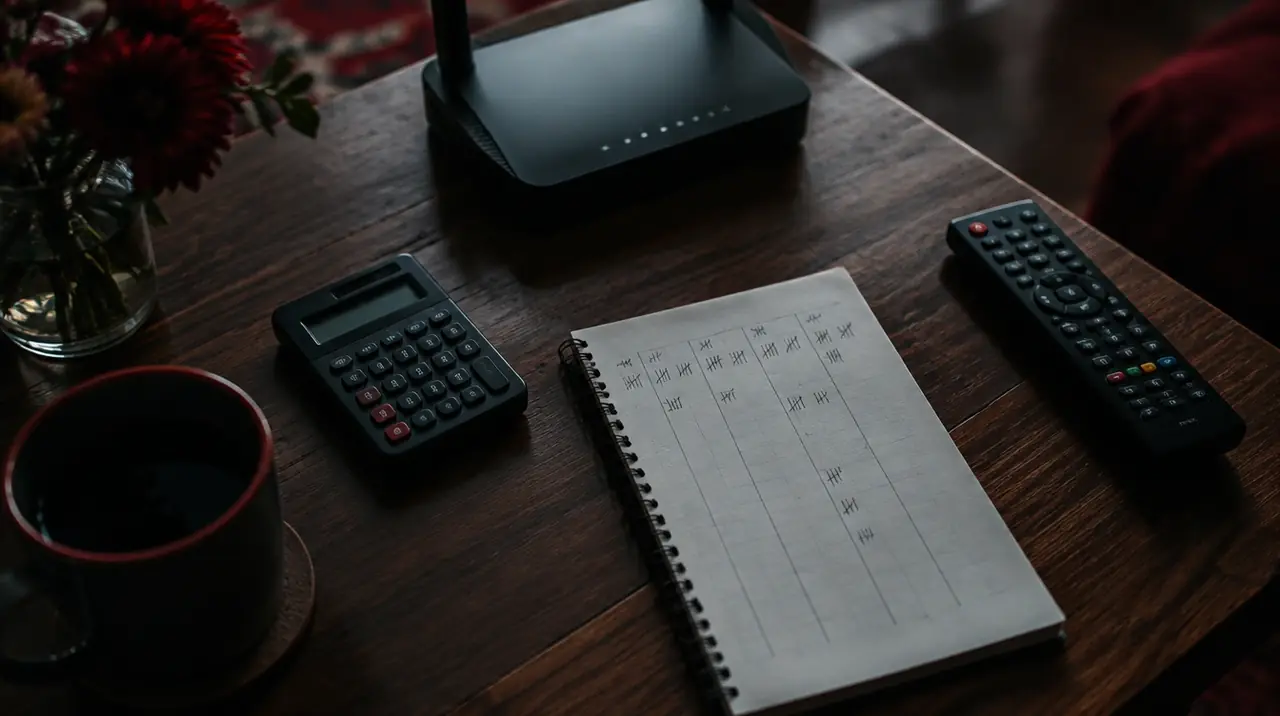
Do this for three evenings: at 7 pm, 8 pm and 9 pm, write down how many screens are playing live TV. Your highest number is your plan size. If you got 3, 3 is your answer even though you own nine devices. The longer method, including how to handle a basement TV that someone leaves on, is in our guide to how many IPTV connections you need.
The hidden fourth stream
The stream families forget is the one nobody is watching: the kitchen TV left on when the person walks away, or the teenager who starts the same game on a phone while a parent watches it downstairs. If either happens even once a week, a 3-screen plan will occasionally refuse a stream on whichever device starts last. Decide in advance whether that is an annoyance you can live with or a reason to pay CA$20 a year more for the fourth screen.
Four household patterns, priced
All prices below are My IPTV Canada’s current published prices in Canadian dollars. The “per month” figure divides the price by the months you actually get, including the new-customer bonus months (+1 on 3 and 6 months, +2 on 12 months, none on renewals).
| Screens | 3 months (get 4) | 6 months (get 7) | 12 months (get 14) |
|---|---|---|---|
| 1 screen | $29 (about $7.25/mo) | $49 (about $7.00/mo) | $79 (about $5.64/mo) |
| 2 screens | $49 (about $12.25/mo) | $89 (about $12.71/mo) | $129 (about $9.21/mo) |
| 3 screens | $69 (about $17.25/mo) | $119 (about $17.00/mo) | $179 (about $12.79/mo) |
| 4 screens | $89 (about $22.25/mo) | $129 (about $18.43/mo) | $199 (about $14.21/mo) |
The 12-month column is where family maths changes. A 4-screen household paying the 1-month price (CA$49) every month for a year would spend CA$588; the 12-month plan is CA$199, a saving of about 66% on that basis. The same comparison for 3 screens is CA$468 versus CA$179, about 62%.
Household A: two adults, two young kids (under 10)
Kids this age watch on one shared screen, usually the living room TV or one tablet, and rarely while both parents are watching two different things. Peak is typically 2. Pick: 2 screens, 12 months, CA$129. That is about CA$9.21 a month. The money you do not spend on a third screen is better spent on a decent router (more on that below).
Household B: two adults, one teenager, one child
The teenager has a phone and a laptop and watches alone, often in a bedroom. A parent has the news or a game on in the living room. The younger child has a tablet or the family room TV. Peak is 3. Pick: 3 screens, 12 months, CA$179. About CA$12.79 a month.
Household C: two adults, two teenagers
This is the household that most often needs four. Everyone watches different things, in different rooms, in the same two-hour window. Pick: 4 screens, 12 months, CA$199. At about CA$14.21 a month it is CA$20 more per year than the 3-screen plan, which is cheap insurance against an argument over whose stream gets cut off.
Household D: a blended family, or grandparents who stay for weeks
If the household changes shape (kids at the other parent’s place every second week, a grandparent wintering in Canada), size for the full-house weeks only if those weeks are common. If they are not, buy for your usual peak and move up at renewal. Renewal is manual, so you choose again each time.
What a wrong guess costs
Buying one screen too few is the more expensive mistake in day-to-day life; buying one too many is the more expensive mistake on paper. The paper cost is small and fixed: on 12 months, each extra screen step costs between CA$20 and CA$50 for the year (2 to 3 screens is CA$50, 3 to 4 is CA$20). The everyday cost of too few is a stream refused at the worst moment, usually during a game or a bedtime show.
Because renewal is manual, you can correct either error at the end of the term without penalty. If you are unsure, round up for a family with teenagers and round down for a household of young kids and grandparents who go to bed at nine. Households with a lot of shift work, where people watch at odd hours, usually peak lower than their headcount suggests.
Is the 12-month term wise for a family?
It is the best price per month, and it carries the most risk if you have not yet proved that the service works on your internet and your devices. A sensible order of operations:
- Confirm it works on the exact devices your family uses, in the rooms they use them in, in the evening when your internet is busiest.
- Buy the longer term once it does. The money-back guarantee runs for 60 days from first paid activation (see our guarantee), so a 12-month purchase is not a 12-month bet: you have two months to find out whether it fits your household.
- Diary the end date. Nothing is charged automatically, and renewals are at the same published prices but without bonus months.
If budget is tight and you want to limit the commitment, the 6-month term (get 7) is a respectable middle ground. The 3-month term is mainly for a seasonal need, such as a hockey playoff run or a summer at the cottage.
Will your internet carry four streams?
Connections are only half the equation. Each stream needs bandwidth from your home connection, on Rogers, Bell, Telus, Vidéotron, Cogeco, Eastlink or a fixed-wireless or satellite provider. Reasonable planning numbers:
- HD stream: roughly 5 to 8 Mbps each.
- 4K stream: roughly 15 to 25 Mbps each.
- Headroom for everything else on the network: a video call, a console download or a cloud backup competes with the streams.
Four HD streams therefore need 20 to 32 Mbps of download capacity on top of normal use. A 100 Mbps plan handles that comfortably if the signal inside the house is good. A 25 Mbps DSL or rural plan does not, and no plan size fixes that. Our guide to internet speed for IPTV explains how to test properly and which numbers matter.
Wi-Fi versus wired in a family house
The living room TV, the screen that matters most, should be wired by Ethernet if the router is close. Phones, tablets and bedroom TVs can use 5 GHz Wi-Fi (faster but shorter range; 2.4 GHz reaches farther but is slower and more congested). Our page on Wi-Fi versus Ethernet for IPTV covers mesh systems for larger or older homes, a common cause of “it works upstairs but not in the basement”.
Kids on the account: set this up before you hand over the remote
A family plan means children can reach the whole channel list unless you do something about it. There are three layers, and you should use more than one:
- The app’s own lock. Most IPTV players have a parental PIN that locks channel groups. Setup and recovery are covered in our parental control guide.
- The device. Apple’s Screen Time lets a parent restrict apps and content on an iPhone or iPad; see Apple’s parental controls guide. Fire TV and Android TV have their own profile and PIN settings.
- The channel list itself. Our service supports a customizable channel list, so ask us to leave out categories you do not want in the house. A list that never contained the adult group is safer than one hidden behind a PIN a teenager can guess.
One login or one login per screen?
Where the plan provides them, separate credentials per connection suit families: each person gets their own login on their own device and nobody accidentally knocks someone else off. Ask when you order how your credentials will be issued. The longer comparison is in single versus multiple IPTV connections.
When this is not the right fit
Be honest with yourself about these situations before you pay:
- Your home internet is below about 25 Mbps and you want more than one stream at a time. Fix the connection first.
- You rely on one specific channel, league or local station. Ask us to check it before you pay; do not assume.
- You want one sealed box with one remote. IPTV works well on the TV you already own, but it is an app on a device, and someone in the house has to set up the apps once.
- You need to know the legal position. That depends on the content source and licensing; read is IPTV legal in Canada and decide for yourself.
A five-minute decision
- Count the screens playing live TV at your busiest hour on a typical weeknight. Call it N.
- If N is 1 or 2, buy 2 screens. If N is 3, buy 3. If N is 4, or you are one stream short about once a week, buy 4.
- Choose the term: 12 months if you have tested and are happy, 6 months for a smaller commitment, 3 months for a seasonal need.
- Note the date: current prices are held until January 15, 2027, so if the plan is clearly right for you, that is the practical deadline for locking in today’s rates.
If you are unsure between two sizes, message us on WhatsApp with your number of TVs, phones and tablets and the time of day your family watches. We will tell you which plan we would pick. To read more first, the how it works page explains the setup, and background on the technology is in Wikipedia’s article on IPTV.
Frequently asked questions
How many IPTV screens does a family of four need?
Count the most screens that play live TV at the same time on a normal evening, not the number of devices you own. Two adults and two young kids usually peak at two, while a household with teenagers often peaks at three or four. Check three evenings at 7, 8 and 9 pm and buy for the highest count.
How much does an IPTV family plan cost in Canada?
At My IPTV Canada, 2 screens cost CA$29 for 1 month, 49 for 3, 89 for 6 and 129 for 12. Three screens are CA$39, 69, 119 and 179. Four screens are CA$49, 89, 129 and 199. New customers also get bonus months on the 3, 6 and 12 month terms.
Is the 12-month IPTV plan worth it for a family?
Usually, once you have confirmed it works on your devices and internet. Four screens on 12 months is CA$199 for 14 months, against CA$588 at the 1-month price for a year, a saving of about 66% on that basis. The 60-day money-back guarantee limits the risk of committing to the longer term.
How much internet speed do I need for four IPTV streams?
Plan on roughly 5 to 8 Mbps per HD stream and 15 to 25 Mbps per 4K stream. Four HD streams need about 20 to 32 Mbps of download capacity, plus room for other household use. A 100 Mbps home plan with a good signal handles this comfortably; a 25 Mbps plan will struggle.
Can I set parental controls on a family IPTV plan?
Yes, at three levels. Most IPTV players have a PIN that locks channel groups, your device can restrict apps and content (Apple Screen Time, Fire TV and Android TV profiles), and you can ask for a customized channel list that leaves out categories you do not want in the house at all.
Do IPTV bonus months apply when I renew?
No. Bonus months are for new customers only: one extra month on 3 and 6 month terms and two extra on 12 months, none on a 1-month plan. Renewals are at the same published prices without bonus months, and renewal is manual, so nothing is ever charged to you automatically.
Sources
Your next step
Test the channels you actually watch.
Tell us your device, languages and preferred channels. We will help confirm availability and set up a free 24-hour trial. Read the plan and guarantee terms before paying.
Useful for someone else?
Share the guide without losing the context.