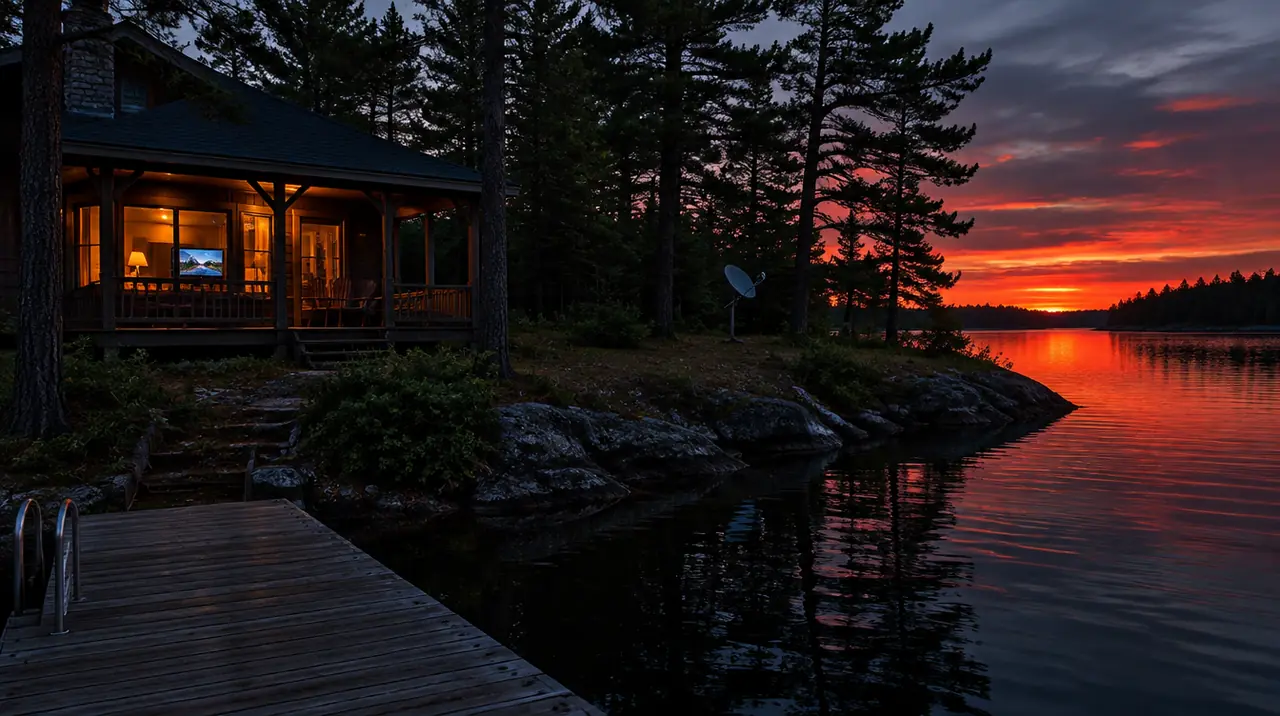
You can watch TV at a Canadian cottage or cabin if the internet there delivers steady speed in the evening and enough monthly data for the hours you will watch. HD takes roughly 2 to 3.5 GB per hour per stream, so a data cap matters more than a headline speed. Test the connection at the busiest hour of a long weekend, not on a quiet Tuesday, and you will know within ten minutes whether IPTV will work.
This guide covers the four common cottage connections, the data arithmetic, a pre-trip test, and the setup choices that make a weekend place behave.
What streaming needs from a cottage connection
Two things: enough speed and a connection that stays steady. HD live TV needs roughly 5 to 8 Mbps per stream, and 4K roughly 15 to 25 Mbps. One HD screen is fine on a modest rural plan. Two HD screens plus a phone and a laptop need more, and an evening with the whole cottage online is a different test from a Sunday morning.
Rural connections often suffer more from inconsistency than low speed. A line that tests at 30 Mbps at 2 pm and 6 Mbps at 8 pm will stall a live stream every few minutes. For the full sizing method, read our internet speed guide. The CRTC, Canada’s telecom regulator, set a long-term target of 50 Mbps download and 10 Mbps upload for fixed broadband, but targets are not guarantees, and many cottage roads are well below them. Treat the number as a benchmark when you ask your provider what you can actually get.
The four connection types you will meet
| Type | Strengths | Weak spots | What to test |
|---|---|---|---|
| Cellular home internet (LTE or 5G) | Simple setup, no installation, good where towers are near | Data caps or slowdowns after a threshold; signal varies by room | Signal inside the building and the monthly data allowance |
| Fixed wireless | Home-style plans, often unlimited tiers | Needs a clear line to a tower; trees and summer foliage; busy evenings | Evening speed on a long weekend |
| Low-orbit satellite | Reaches many places others cannot | Needs an unobstructed sky; plan terms and equipment cost | Dish placement and evening stability |
| DSL or older satellite | Already installed at some places | Speed may be too low for more than one screen | Whether it sustains 8 Mbps for two hours |
Cable and fibre exist at some lakeside communities, and if you have the option, it is usually the steadiest and the least capped. Most cottage areas rely on one of the four above.
Low-orbit satellite in practice
Services such as Starlink’s Canadian site list the plans and hardware available to your address. The Wikipedia page on Starlink describes how the service works. For TV, the points that matter are placement and plan terms: the dish needs a clear view of the sky, trees at the edge of a lot can interrupt it, and plan data policies change, so read the current terms before you count on unlimited streaming. Test at the cottage during a busy evening.
Fixed wireless and busy summers
A fixed wireless tower serves many cottages. On a July long weekend, when the road fills, the same line that worked in May can slow down. If the provider offers a plan with higher priority, ask what it costs. The Wikipedia entry on fixed wireless access explains why shared towers behave this way.
The data arithmetic you should do once
Data is quoted in gigabytes per month; streaming is quoted in megabits per second. The conversion is simple: one hour at 5 Mbps uses about 2.25 GB, at 8 Mbps about 3.6 GB, and one hour of 4K at 15 to 25 Mbps uses roughly 7 to 11 GB. Here is what that means for a typical weekend.
| Pattern | Hours of viewing | Approximate data |
|---|---|---|
| One screen, 3 hours a night, 2 nights | 6 | 13 to 22 GB |
| Two screens, 3 hours each, 2 nights | 12 | 27 to 43 GB |
| Two screens in HD for a one-week stay | about 40 | 90 to 145 GB |
| One 4K screen for 3 hours | 3 | 20 to 34 GB |
If your plan has a monthly cap of 100 GB, a week of two-screen viewing can use most of it before anyone has uploaded a photo. Many cap-limited users solve it by lowering the player’s quality setting for the cottage or by streaming only on one screen. If your plan has no cap, this table does not apply, but the speed test still does. The Wikipedia article on data caps explains the general model.
The pre-trip test (do this on the first evening)
- Connect the device you will use and open the player. If it has not been set up at the cottage yet, enter the login while you have good signal.
- Run a speed test at 7 or 8 pm on the Wi-Fi in the TV room. Note the download speed, and the upload if it is shown.
- Play a live channel for ten minutes. Watch for stalls, not just the speed number.
- Open a second stream on another device to simulate the family. If the first one stalls, you have found your limit.
- Check data use in the router or the cellular app after the test, and compare with the monthly cap.
If it fails, the fixes in order of cost are: move the router, add a wired link, lower the player quality, change the plan, or change the connection type. Our guide to fixing IPTV buffering walks through them.
Setup choices that suit a cottage
- Take a device that you know. A Fire TV Stick or Android box that you have already set up at home is easier than starting fresh with a spotty signal. Carry the power adaptor and the HDMI extension.
- Use Ethernet if you can. A short cable from a cellular or satellite router to the TV area removes the Wi-Fi variable. See Wi-Fi versus Ethernet.
- Put the router in the room with the TV if the building is log or has thick stone, which block Wi-Fi more than drywall.
- Keep a small checklist. Login details, router password, and the support contact, in a drawer.
- Lower the quality, not your expectations. Many players have a quality or resolution setting; HD at 5 Mbps looks fine on a cottage TV.
Picking a plan for a seasonal place
The question is how many screens will run at the same time at the cottage and whether you also use the service at home. Check with the team how connections are counted if you plan to use the same subscription at both places; do not assume. If the cottage gets its own subscription, the choice is the same as anywhere.
| Use | Screens | Suggested term | Price |
|---|---|---|---|
| One TV, summer only | 1 | 3 months (+1 bonus month for new customers) | CA$29 |
| Weekend family place, two TVs | 2 | 6 months (+1 bonus month) | CA$89 |
| Year-round cabin, all rooms | 3 | 12 months (+2 bonus months) | CA$179 |
For a seasonal place, a 3 or 6 month term usually fits the season better than 12 months. If you only use it for the long weekends, compare the price of a month at CA$19 for one screen; the 3-month term at CA$29 is 49% less than three monthly payments of CA$19 (CA$57). All prices are on the pricing page; the current prices hold until January 15, 2027.
Getting a better signal without changing providers
Before you pay for a faster plan, try placement. Cellular and fixed wireless signals vary dramatically within a building, and a router moved to a south-facing window can change a test from 8 Mbps to 30 Mbps. Walk the router around while a speed test runs and mark the best spot. If the best spot is far from the TV, run a cable rather than relying on Wi-Fi through log walls. External antennas for cellular routers exist and can help at the edge of coverage; check your provider’s rules and the router’s compatibility before buying one.
Plan for the outage
Cottage power and internet go out more than city service. Keep a short backup plan: a charged tablet with offline downloads from a service you own, a deck of cards, and a pre-downloaded playlist for the kids. IPTV is live and on-demand streaming over the internet, so it cannot play without a connection, and no device setting changes that. If an evening is spoiled by an outage, note the time and tell your internet provider, not the TV service; the cause is the line.
Closing the cottage for the season
Unplug the router and streaming box, remove batteries from remotes, and store the stick indoors if the building is unheated, since cold can damage electronics. Write down the login and the last software version so you can restore the setup next spring without searching. If your subscription term runs past the season, nothing charges you again at the end of it: renewals are manual, so you decide whether to renew.
When this is not the right choice
- If the cottage has no usable internet, IPTV cannot work there, and no setup fixes that.
- If the only connection is a small cellular plan with a tight monthly cap, one hour of HD a night will use most of it; consider downloading what you can before leaving home from an official service.
- If you need a specific live event with a guarantee, use the rights holder’s own service.
Whether any IPTV service is lawful depends on the content source and its licensing. We do not give legal advice; the factors are in our article on IPTV legality in Canada.
If it works at home but not at the cottage
- If the login fails at the cottage: check you typed the server address exactly; it should be the same as at home.
- If the picture stalls every few minutes: the connection is inconsistent; lower quality and wire the device.
- If everything is fine until a second screen starts: you are at the connection limit or the line’s limit; test one stream at a time.
- If it worked in June and fails in July: the area is busier; test at the same hour on a weekday and a weekend.
Before you pay, message the team with the type of internet at the property and your must-have channels. The 60-day money-back guarantee, which starts at first paid activation, lets you test across several real weekends at My IPTV Canada. See the guarantee for the terms.
Frequently asked questions
How do I watch TV at a cottage with no cable?
Use internet-delivered TV over a cellular home plan, fixed wireless, low-orbit satellite or any steady line. Test the connection at a busy evening hour first. You need roughly 5 to 8 Mbps per HD stream and a data allowance that fits your viewing hours.
How much data does streaming TV use at the cottage?
HD uses roughly 2.25 to 3.6 GB per hour per stream, and 4K roughly 7 to 11 GB. Two HD screens for 12 hours across a weekend is about 27 to 43 GB. Check your plan's monthly allowance before you count on it.
Is Starlink good enough for IPTV?
Often yes, if the dish has a clear view of the sky and the plan terms suit your data use. Test during a busy evening at the property, and read the current plan terms because data policies change.
Why does IPTV buffer at the cottage in summer?
Shared towers and satellite beams get busier on long weekends, and trees add signal loss. Lower the player quality, wire the device if you can, and compare weekday and weekend performance at the same hour.
How many Mbps do I need for two TVs at the cottage?
About 10 to 16 Mbps for two HD streams, plus headroom for phones and laptops. Aim for a steady 25 Mbps or more in the evening. Consistency matters more than a peak speed-test result.
Which IPTV term suits a seasonal cottage?
A 3 or 6 month term usually matches a summer or ski season better than 12 months. One screen for 3 months is CA$29, with a bonus month for new customers. You also have a 60-day money-back guarantee on eligible new subscriptions.
Sources
Your next step
Test the channels you actually watch.
Tell us your device, languages and preferred channels. We will help confirm availability and set up a free 24-hour trial. Read the plan and guarantee terms before paying.
Useful for someone else?
Share the guide without losing the context.